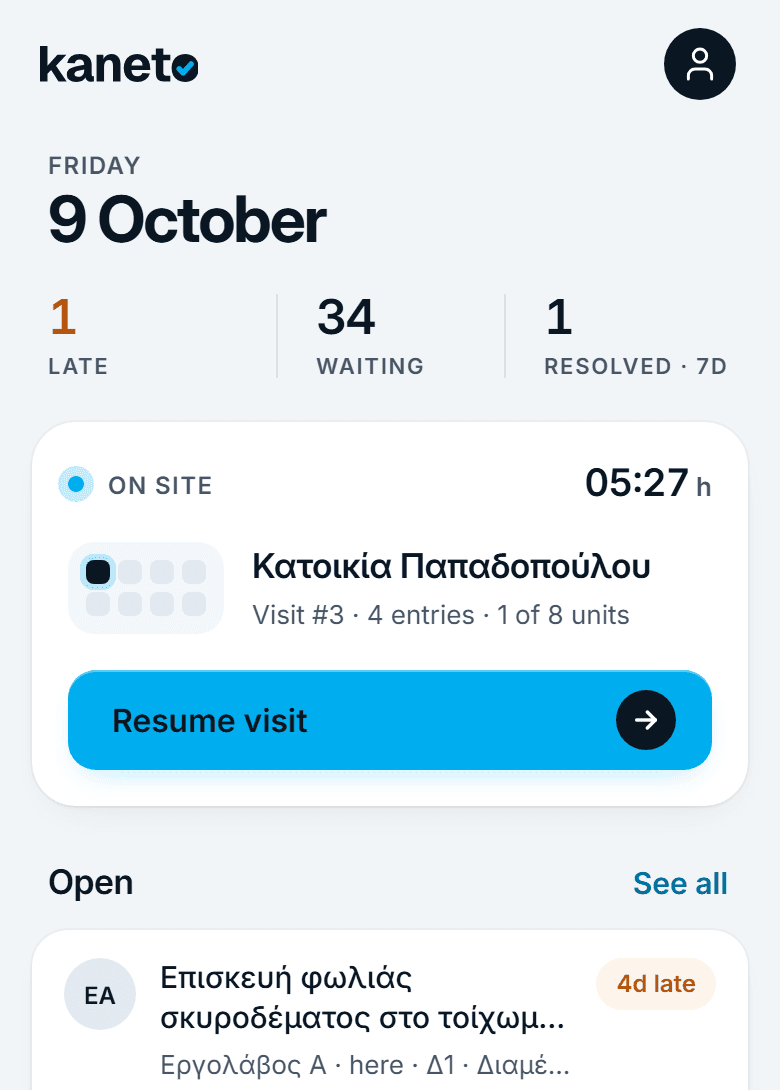
Kaneto is the site supervision tool for engineers and architects who need to document what they see, track what needs fixing, and keep clients informed — without spending hours writing reports.
Free trial · No credit card required · Cancel anytime
Weekly Progress Inspection
Mar 12, 2026 · 09:30
Cloudy
14
8
Field observations
Structural slab on 3rd floor complete. Rebar for 4th floor delivered. Formwork removal on schedule.
Issue #7 — Column crack, L3 axis B4
Open · Structural team · Due Mar 19
Pin #3 — Structural Plan L3
Linked to Issue #7 and this site visit
Site visit → PDF report in under 2 minutes
Professional branded reports in one tap
Client portal — no login required
GDPR compliant · EU data storage
Three core workflows — visit documentation, defect tracking, client reporting — built into one tool.
Add the project address, client details, and invite your team. Takes 60 seconds. Everything else — visits, issues, files — is linked here.
Open Kaneto on your phone. Record date, weather, workers, observations, and photos. Pin findings on uploaded drawings. Done in under 2 minutes.
Every issue gets a number, a photo, a location on the drawing, and an assignee. Nothing disappears into a chat thread. Close items as they're resolved on site.
One link. The client sees the reports, files, and progress you choose to share — live and always up to date. No login required. No PDFs in email.
Site visits. Punch list. Client portal. Built around the real supervision workflow — not adapted from generic project management software.
Record observations, weather, workers on site, and photos directly from your phone in under 2 minutes. Every visit auto-generates a structured, timestamped report.
Every issue gets a number, photo, location on the drawing, priority, and an assignee. Track open defects from first observation to final sign-off — nothing falls through the cracks.
Give clients a live window into project progress via a single shared link. No login required. You control what they see — selected reports, files, and visit summaries.
Upload DWG or PDF drawings and pin issues directly on the plan. Each pin links to a punch list item or site visit, so context is never lost between the office and the field.
Generate a branded, professional PDF report from any site visit or punch list in one tap. Share directly with clients or contractors — no Word, no formatting, no waiting.
Keep drawings, photos, specifications, and correspondence organised in one place. Shared with your team, accessible from any device, always linked to the right project.
Generated automatically from your site visit data. Your logo, your colours, your signature. The kind of report that makes clients say “finally, someone who works professionally.”
Structural slab on 3rd floor complete. Rebar for 4th floor delivered and stacked correctly.
Formwork removal in progress — ahead of schedule. Surface quality is acceptable.
Thermopylon Office Complex
Shared by Stavros Engineering
Weekly Progress Inspection
17 March 2026 · Report available
Open Issues (2)
Reports
Powered by Kaneto · Live view for Nikos Papadopoulos
Share one link. Your client gets a live view of the project — site visits, open issues, and reports — always up to date. No account. No app. No email chain.
“My clients now call me to compliment the reports instead of asking when they'll receive them.”
Most engineers still document site visits with a phone camera, Word, and email. Here's what changes.
Phone camera roll of unlabeled photos
Photos auto-attached to the visit, organized by type
WhatsApp message to client: "see photos"
Professional portal link client opens on their phone
Word document with copy-pasted screenshots
Auto-generated branded PDF ready in 30 seconds
2 hours writing after every site visit
Leave the site. Your report is done.
"Which wall was that?" — no one knows
Issue pinned to exact location on the drawing
Client calls asking for updates
Client checks their portal link — live, always current
Engineers report saving 2–4 hours per site visit on documentation after switching to Kaneto.
Whether you supervise structure, mechanical systems, electrical installations, or the full build — the workflow is the same: document it, track it, report it.
Example: Mixed-use residential complex, Athens
You visit the site weekly to verify that construction matches the approved drawings. You document deviations, mark issues directly on the floor plan, and send a formatted report to the developer the same day. Clients stop calling to ask what's happening — they check the portal.
Typical workflows
Architect
Mixed-use residential complex, Athens
Purpose-built for field supervision — not repurposed from software team tools.
< 2 min
From tapping 'New Site Visit' to sharing a PDF report — under two minutes. Spend your time inspecting, not writing.
5 → 1
Stop juggling WhatsApp, Word, email, and Google Drive. Every visit, every issue, every file — one workspace, one link for the client.
1 tap
Branded PDF reports for site visits and punch list summaries. Generated from the data you already entered — no reformatting, no copy-paste.
100%
GDPR compliant, encrypted at rest and in transit. Export or delete your data anytime — no vendor lock-in.
14-day free trial on all plans. No credit card required.
For independent professionals working alone or with one collaborator
Billed monthly, or save 20% yearly
For small teams and growing engineering practices
Billed monthly, or save 20% yearly
For established firms and larger teams
Billed monthly, or save 20% yearly
Need enterprise features? See all plans
All plans include SSL encryption, automatic backups, and GDPR compliance. Prices exclude applicable VAT.
Kaneto was designed for engineers and architects who do field supervision. Try it free — setup takes two minutes, no credit card needed.
No credit card required · Setup in 2 minutes · Cancel anytime
Everything you need to know about Kaneto.
Kaneto is a field documentation tool built for civil engineers, architects, and project managers who do site supervision. It replaces the Word reports, WhatsApp threads, and email attachments that engineers use to document site visits, track defects, and report to clients. If you visit sites and need to produce professional records of what you find there — Kaneto is for you.